Smart Remind

YOUR LIFE. REMEMBERED BY TEXT.

Bills. Appointments.
Off your mind.

Text what you need to remember and when.
Smart Remind texts you when it's time.

Text your first reminder

Start with "Hi Remind" at (929) 407-3800

Your everyday text messages. Your next reminder.

ILLUSTRATIVE DAY · 5:59:50 PM
ONE LESS THING TO CARRYPay the
credit card.
tomorrow, 6 pm ↗
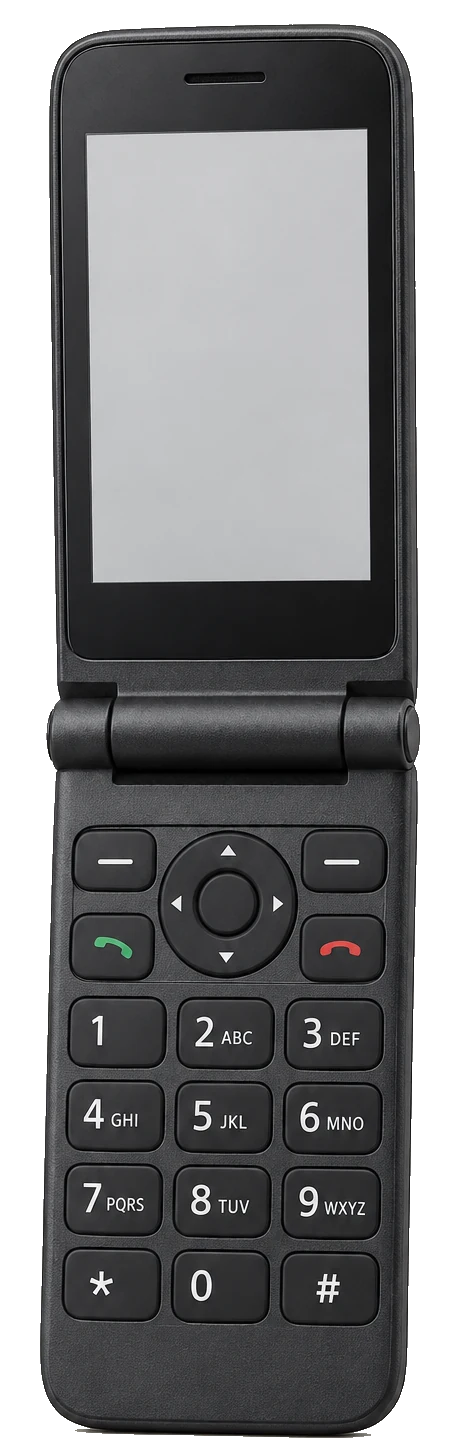
Illustrative unbranded flip phone
SMS ▮▮▮
Smart RemindILLUSTRATION

Remind me to pay my credit card tomorrow at 6 PM.

Pay your credit card, tomorrow at 6 PM.

Reminder: pay your credit card.

TOMORROW · 6:00 PMReminder: pay your credit card.

Interactive illustration. Example messages; time compressed.

Your textEXAMPLE ONLY

Remind me to pay my credit card tomorrow at 6 PM.

SMARTPHONE OPTIONAL.

If it texts,
you're in.

Flip phone. Basic phone. Smartphone.
Use a phone and mobile service that can send and receive SMS. No mobile internet or app needed.

Carrier coverage, messaging restrictions and text rates still apply.

THOUGHT → TEXT → REMINDER

A small text.
A little less to remember.

  1. 01

    Say it naturally.

    Tell Smart Remind what you need to do and when.

    "Remind me to pay my credit card tomorrow at 6 PM."
  2. 02

    Check the details.

    Read the confirmation. Check its date, time and time zone before relying on it.

  3. 03

    Get the text.

    Your reminder comes back as an ordinary text message.

01 · A request in your own wordsILLUSTRATIVE SEQUENCE

PLANS & PRICING

A little backup.
Or a little more.

Plan preview. Final pricing and usage limits are being confirmed.

Free

Start with the essentials.

Everyday reminders

Usage details coming soon

  • One-time reminders by text
  • A starter allowance of reminders and snoozes
  • List and cancel reminders by text
  • English replies

Repeating reminders and changing existing reminders are Plus features.

Start by text ↗

Plus

For the things that keep coming around.

Pricing coming soon

Usage details coming soon

  • Repeating reminders
  • Change reminders by text
  • Longer snoozes
  • Yiddish replies
  • Shabbos and Yom Tov handling
  • Hebrew-date, zman and yahrzeit reminders

Plan details will be confirmed before a paid offer is made.

Ask about Plus ↗

Plan details coming soon.

MORE THAN A ONE-TIME NUDGE

Life changes.
Your reminders can, too.

01

Make it repeat. PLUS

"Remind me to pay the rent on the 1st of every month at 9 AM."
02

Move it by text. PLUS

"Move the dentist reminder to Thursday at 1:30 PM."
03

Not now? Snooze.

"Snooze that reminder."
04

See what's coming.

"What reminders do I have?"

Everyday reminders, in your own words. See plan details.

Your words. A natural conversation.

Write naturally, including mixed English and Yiddish. Replies default to English. Yiddish replies are a Plus feature.

Check the confirmation. If a detail is missing, Smart Remind asks.

YOUR FIRST MINUTE

Start with "Hi Remind".

  1. 1

    Text Hi Remind to (929) 407-3800. Your first text starts your account.

  2. 2

    You'll receive service and SMS information, and a reply inviting you to set a reminder.

  3. 3

    Send something real, like "Remind me to pay the electric bill Friday at 9 AM." Check the confirmation.

Illustrative walkthrough. Start your account by text.

GOOD TO KNOW

Before your
first text.

Ask us a question ↗
How do I start?

Text "Hi Remind" to (929) 407-3800. Your first text starts your account, using your phone number.

Can I change a reminder?

With Plus, text what you want to change. On either plan, you can cancel a reminder by text. Check the reply to make sure it matches your intent.

Which phones can I use?

Smart Remind works through regular text messages. Use a phone with mobile service that can send and receive texts.

How do reminders arrive?

As a regular text message. Review the confirmation when you set one.

Where do I get support?

Need a hand? Text HELP or email support@smartremind.app.

YOUR NUMBER. YOUR REMINDERS.

A little care with what you share.

Your information, explained in our Privacy Policy.

How we handle your information ↗

REAL QUESTIONS WELCOME.

Need a hand?

Email us for account help or a question about your reminders. Text HELP for automated help information.

support@smartremind.app ↗

START WITH THE NEXT THING ON YOUR MIND.

Your next reminder
is a text away.

Text "Hi Remind"